
Omni Flash AI Video Generator
Create anything from any input with Gemini Omni Flash. Generate realistic, world-aware videos from text, images, audio, and video, with exceptional text accuracy, true physics, consistent characters, and natural conversational editing.
Gemini Omni Flash supports synchronized audio. Describe sounds, ambience, and dialogue for richer output.
Click to upload images (up to 5)
Supports JPG, PNG, WEBP, max 10MB each
Click to upload a reference video
MP4 / MOV / WEBM, max 50MB, up to 30s
Gemini Omni Flash Tips
- - Reference Images: JPEG / PNG / WEBP / JPG — max 10MB each, up to 5 images.
- - Reference Video: MP4 / MOV / WEBM — max 50MB, up to 30s, 1 video. Pick a trim segment with Start / End (seconds).
- - Duration: 4s / 6s / 8s / 10s — longer clips cost more credits (no video input).
- - Resolution (no video): 720p / 1080p tier 30 / 40 / 50 / 60 credits. 4K tier 70 / 80 / 90 / 100 credits.
- - Resolution (with video): 720p / 1080p flat 80 credits. 4K flat 120 credits.
- - Aspect Ratio: 16:9 for landscape, 9:16 for short-form vertical content.
One unified AI video studio, powered by Gemini Omni Flash
Omni Flash brings four input types — text, image, audio, and video — into one generation pipeline. Built on Gemini Omni Flash, a world-aware multimodal model, the platform replaces the typical four-tool workflow with a single workspace where you write a brief and render a finished video.
Every Input, One Generator
Text-to-video, image-to-video, audio-driven, and reference-to-video workflows all share the same model — no separate pipelines, no exported assets between tools.
True Multimodal Fusion
Mix prompts, reference images, voice clips, and short video samples in a single request. The model reads them together to produce a scene that respects every input.
Production-Grade Output
Render polished, broadcast-ready video suitable for social posts, paid ads, product launches, narrative scenes, and commercial deliverables.
Cinematic Video Grounded in Real-World Physics
Gemini Omni Flash is engineered for world-aware generation. It models gravity, momentum, and fluid dynamics, draws on broad scientific and cultural knowledge, and keeps characters, props, and lighting consistent across every shot — all editable through plain-English conversation.
Text to Video, World-Aware
Prompts become cinematic shots with believable motion, camera framing, and lighting. The model interprets creative intent rather than mimicking literal words — sequences obey real physics from the first frame.
Image to Video with Identity Lock
Animate a still image while preserving identity, costume, materials, and creative intent across every frame. No morphing artifacts, no drifting faces between cuts.
Conversational Multi-Turn Editing
Refine actions, recast scenes, swap art styles, or change the camera through chat. The rest of the shot — characters, props, lighting — stays locked across iterations, so a single brief evolves into a finished cut.
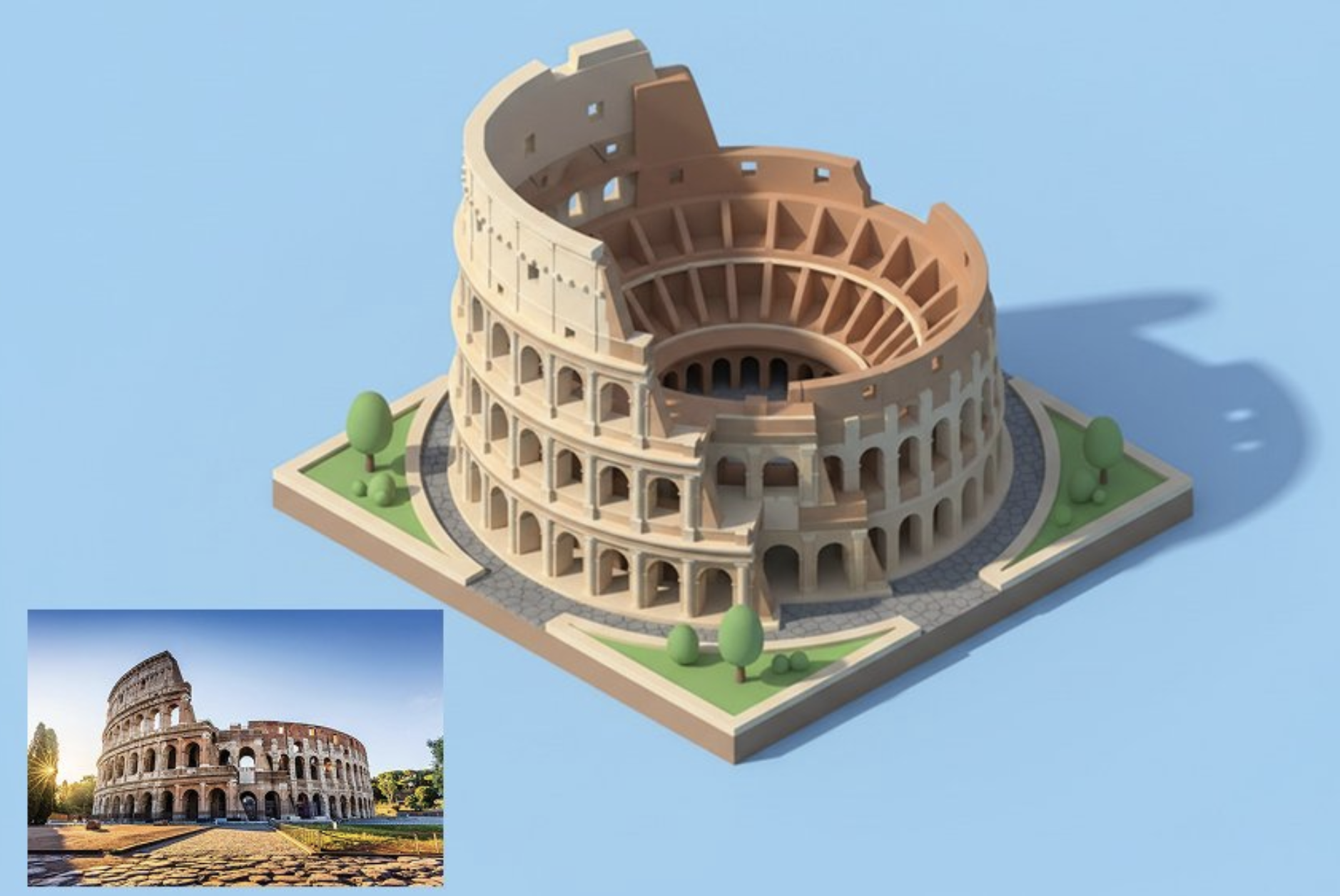
Create an AI Video in Three Steps
Open the studio, describe the scene, render. The Gemini Omni Flash pipeline handles the rest — most clips finish in minutes.
Open the Studio
Visit omni-flash.net and launch the AI video generator. The workspace is unified — no plugin chains, no per-model setup.
Describe Your Scene
Type a prompt, attach reference images or audio, and pick your output style. Any combination of inputs is allowed in a single brief.
Render, Refine, Publish
Render a first draft, fine-tune it through conversational edits, then export. Most projects reach a final cut in under three iterations.
Why Creators Switch to Omni Flash
Speed, control, and consistent output for real creative work — built on the Gemini Omni Flash multimodal model and tuned for production schedules.
Any-Input Multimodal Pipeline
One model accepts text, image, audio, and video together — eliminating the four-tool workflows that fragment most AI video projects today.
Physics-Aware Generation
Gravity, momentum, fabric drape, and fluid dynamics behave as expected — falling objects fall correctly, liquids pour like liquids, smoke moves like smoke.
Conversational Editing
Adjust a shot with plain language: change the time of day, replace a character, swap art styles. The rest of the scene stays locked between edits.
Character & Scene Consistency
Subjects retain identity across cuts, multi-turn revisions, and style transformations — essential for narrative series, brand mascots, and product spots.
World Knowledge Built In
Broad coverage of science, history, and culture lets the model render a Tang-dynasty courtyard, a protein-folding sequence, or a 1920s Berlin tram with accurate detail.
Commercial-Ready Output
Paid-plan generations are licensed for client work, paid campaigns, and branded content under the published plan terms.
Simple Credit-Based Pricing
Pick a plan that matches your production volume — monthly, annual, or one-time top-up. A single credit pool covers every input type and every output style on the Gemini Omni Flash pipeline.
Daily Free Credit
Claim your free credit every 24 hours
Pro
- 350 credits per month
- Full 4200 credits issued once
- Up to 35 videos per month
- Up to 350 images per month
- All AI models Here Support
- Priority support
- Commercial usage rights
- Priority processing speed
- Remove watermark
Basic
- 150 credits per month
- Full 1800 credits issued once
- Up to 15 videos per month
- Up to 150 images per month
- All AI models Here Support
- Priority support
- Commercial usage rights
- Priority processing speed
- Remove watermark
Max
- 750 credits per month
- Full 9000 credits issued once
- Up to 75 videos per month
- Up to 750 images per month
- All AI models Here Support
- Priority support
- Commercial usage rights
- Priority processing speed
- Remove watermark
Pro Max
- 1,500 credits per month
- Full 18,000 credits issued once
- Up to 150 videos per month
- Up to 1,500 images per month
- All AI models Here Support
- Priority support
- Commercial usage rights
- Priority processing speed
- Remove watermark
Frequently Asked Questions
Direct answers about the Gemini Omni Flash model, supported inputs, editing workflow, and commercial use.
What is Omni Flash?
Omni Flash is a multimodal AI video studio at omni-flash.net. It runs on the Gemini Omni Flash model and supports text, image, audio, and video inputs inside a single generation workflow.
What makes Gemini Omni Flash different from other video models?
Three things set it apart: it accepts any input modality in one request; it models real-world physics including gravity, momentum, and fluid dynamics; and it keeps characters, props, and scenes consistent across multi-turn edits.
Can I edit a video after it is generated?
Yes. Describe the change in plain English — adjust an action, change the time of day, swap a camera angle, or transform the art style. The rest of the shot stays locked, so edits compound rather than restart.
What inputs does the model accept?
Four modalities are supported: text prompts, reference images, audio clips, and short reference videos. They can be used alone or mixed together in the same brief.
Does it handle complex physics and scientific scenes?
Yes. The model has been trained for world-aware generation, so phenomena like fluid flow, fabric drape, lighting falloff, and rigid-body collision render with physical plausibility rather than as VFX approximations.
How long does a video take to generate?
Most clips render within a few minutes, depending on length, resolution, and current queue load. Conversational edits typically return faster than a full re-render.
Can I use the videos commercially?
Outputs from paid plans are licensed for commercial use, including client deliverables, paid advertising, and branded content. Review the plan terms before publishing.
Is this platform affiliated with the Gemini model provider?
No. Omni Flash is an independent service at omni-flash.net. 'Omni' is the product name used by this site and is not affiliated with, endorsed by, or sponsored by any third-party AI model provider.
Start Creating with Omni Flash
Turn prompts, images, and audio into polished, physics-aware video — in one unified workspace built on Gemini Omni Flash.